
How to use stayV Host · EP. 10
Using stayV HostCreate a multilingual guide for international guests
At a glance
Show Korean guidance in English, Japanese and Chinese. Follow the process from writing clear originals to reviewing translations and checking the guest view.


Want international guests to read your Korean property guidance? Start by refining the Korean original, then review the translations stayV prepares. You do not need to write a separate English guide from scratch.
Let’s follow choose languages → save the original → publish → review translations. Language settings use the Seoul Ongi Hanok · Practice guide draft; translation review and the guest language screen come from the operating Seoul Ongi Hanok property.
At a glance
- In Basic, choose the base language you write in and supported languages guests can select.
- Make the Korean original short and clear before translating.
- Publish or republish to prepare translations.
- In Translation review, compare times, button labels and prohibitions first.
- Switch languages in the guest view and read the guidance yourself.
Learn more
1. Choose the languages guests will see
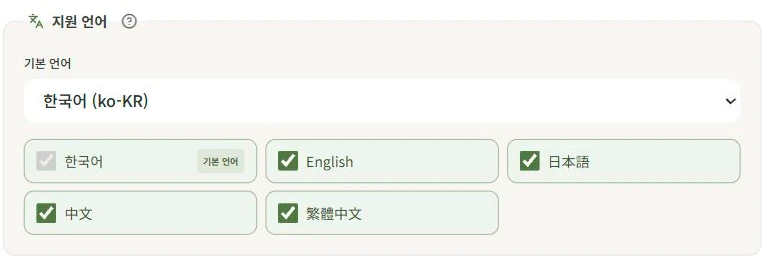
Open the editor, select Basic and scroll to Supported languages and Base language.
If you write in Korean, keep Korean as the base language. Choose guest languages under Supported languages. Currently Korean, English, Japanese, Simplified Chinese and Traditional Chinese are supported. Start with English if many of your guests use it.
Select Save and check for Saved. The base language is the one you write in; supported languages are those guests choose to read. Free supports one base language.
2. Clarify the Korean original first
Automatic translation works better with clear originals. Review arrival instructions, appliance cards, rules and FAQs as well as the introduction.
| Wording that is hard to translate | Clearer wording |
|---|---|
| Contact us if you arrive late | If you arrive after 10 p.m., tell us your arrival time in the booking conversation |
| Put it there after using it | Put the umbrella in the entrance umbrella stand after using it |
| Set it to a suitable level | Set the air conditioner to 24°C or above |
Write one action at a time. Replace words such as “this,” “there” and “suitable” with object names, locations or numbers. Adapt times and temperatures to your property, then save each changed menu or card.
3. Publish to prepare translations
For a new guide, open Publication, check the required items and publish. For multilingual properties, translations for the selected languages are prepared at this point.
If you change Korean guidance in an already published property, save first, then republish in Publication. Selecting languages or saving the original alone does not create new translations.
Saving a published property immediately updates its Korean guest view. When changing times or rules, check the live guide after saving too.
4. Review the most important sentences first
Choose a language in Translation review on the Publication screen to see the original and translation side by side. Start with check-in/out times, appliance button labels and prohibitions. Even if you are less confident in English, you can compare numbers and times.
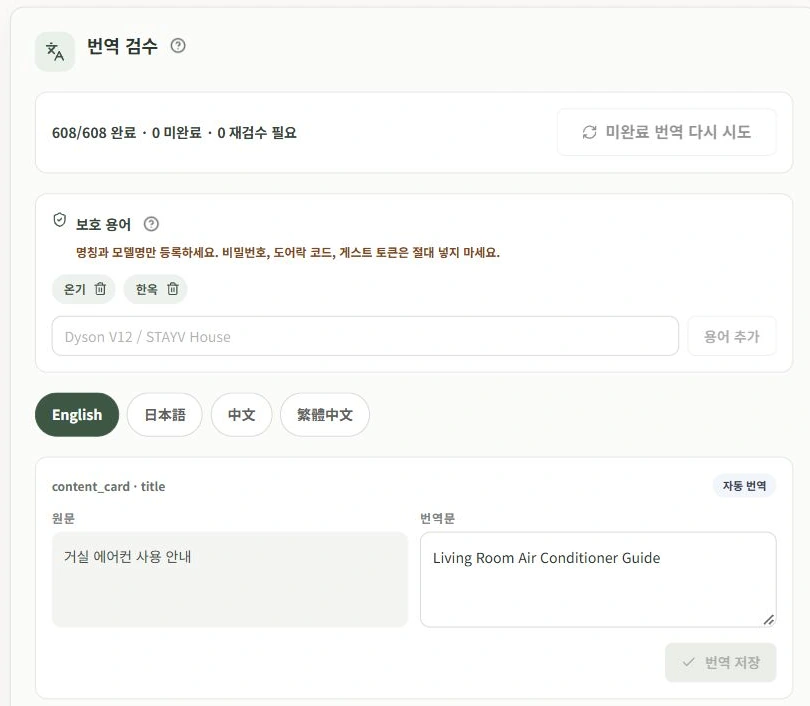
Edit the translation where needed and select Save translation. Confirm the Saved indicator.
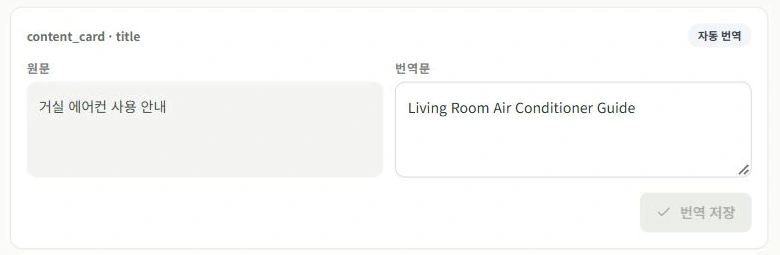
For example, compare the living-room air-conditioner instructions with Living Room Air Conditioner Guide. Items appear six per page, so check the next page too.
Manually edited translations may remain unchanged after the original changes. If you see Original changed — review needed, check whether your earlier translation still matches the new original.
5. Retry only unfinished translations
After publication, some items may show Translation incomplete · Showing original. Guests see the Korean original for these items.
Select Retry incomplete translations. You do not need to keep pressing Publish. If items remain unfinished after retrying, you can enter the translation yourself.
| Situation | Action |
|---|---|
| You changed the Korean information | Save → republish in Publication |
| Only some translations remain incomplete | Retry incomplete translations |
6. Switch languages in the guest view
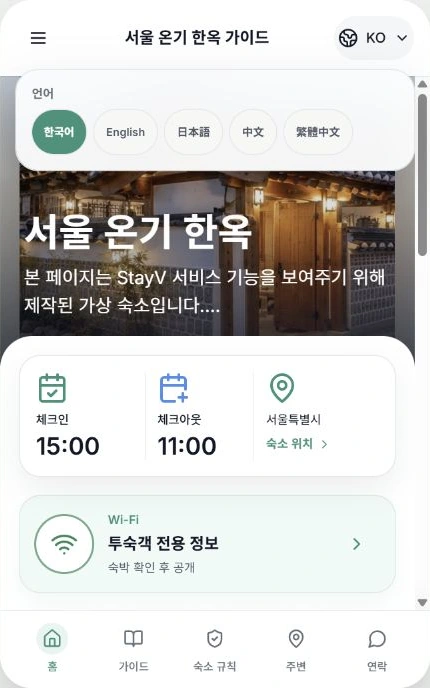
Open the published guide, tap the globe/KO at the top right and choose English or another language. Open arrival cards, frequently used appliances, rules and FAQs as well as the introduction.
Ask whether a first-time guest could act on each sentence. Check that times match the original, labels match the equipment and text is easy to read. After making changes, save and check the guest view again.

Check your progress
- You selected and saved the base and supported languages.
- You published or republished to prepare translations.
- You checked times and button labels in Translation review and the guest view.
Availability and things to know
Multiple languages are available on the paid Plus plan. Free provides a guide in one base language.
Read next
Episode 9 · Write house rules and FAQs